IP address management for schools
Thousands of student laptops, tablets, projectors and printers – often run by a small IT team or a municipal IT department. ipmanager makes it easy to segment the network properly and know where everything is.
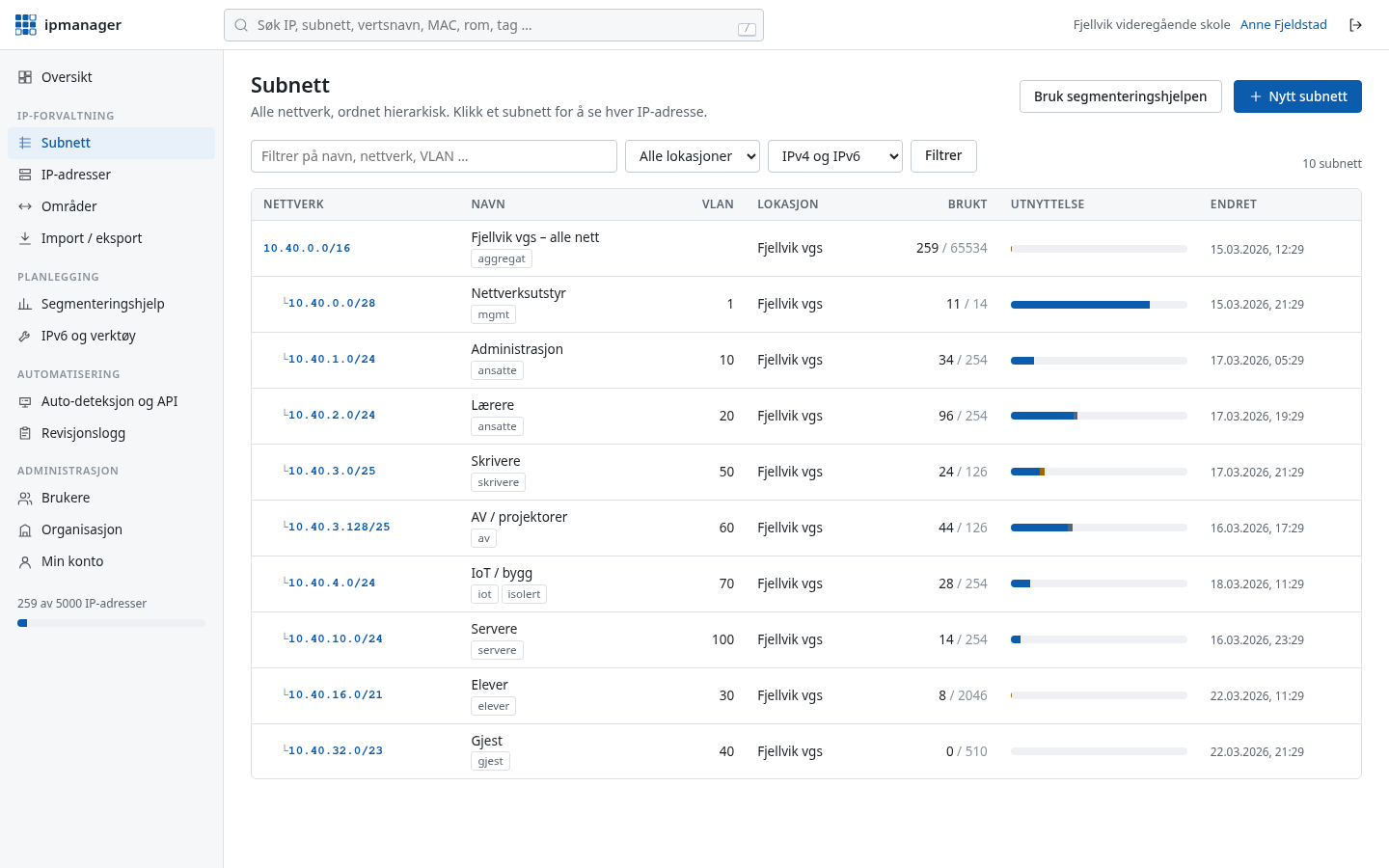
A typical day
A teacher reports that the projector in room B2.14 cannot be reached from their laptop. The IT coordinator needs to find out which address the projector has, which network it is in, and whether it has actually been online today.
In ipmanager she types B2.14 into the search box and gets every device in the room – projector, printer and teacher PC – with IP, network and “last seen”. The projector is in the AV network where it belongs and has not been seen since yesterday. So the fault is power or cabling, not firewall rules.
Typical layout
A layout for a school with around 600 students. Students and guests must never reach the administration network, and printers and AV equipment get their own networks so they can be controlled with simple firewall rules.
| Segment | VLAN | IPv4 | Notes |
|---|---|---|---|
| Administration | 10 | 10.10.10.0/26 | Head teacher, office, finance |
| Staff | 20 | 10.10.16.0/23 | Teacher laptops and phones |
| Students | 30 | 10.10.32.0/21 | Student laptops and tablets, DHCP pool |
| Guests | 40 | 10.10.48.0/22 | Internet only, client isolation |
| Printers | 50 | 10.10.60.0/26 | Static addresses, room in its own field |
| AV and IoT | 60 | 10.10.61.0/25 | Projectors, displays, access control |
| Servers | 70 | 10.10.62.0/27 | File, print, DHCP |
| Network management | 99 | 10.10.63.0/27 | Switches, access points, controllers |
How ipmanager helps
Segmentation help with a school template
Choose the school template, enter the number of students and staff, and get a complete proposal with subnets and VLANs that can be created with one click.
Search by room
Record rooms on printers, projectors and fixed machines, and find everything in a room with one search.
DHCP pools as ranges
Mark the student network's DHCP pool so “next free IP” never suggests an address the DHCP server hands out.
Read-only access for more people
Give teachers or the caretaker read-only access so they can look things up without being able to change anything.
Collector and conflicts
The collector finds printers and AV equipment using ping and ARP and updates “last seen”. A printer with a static address inside the student network's DHCP range, or an unknown host on a reserved address, becomes a conflict.
From spreadsheet in minutes
Import the old Excel sheet with a preview before anything is saved, and export to Excel when someone asks for a list. A snapshot is taken before every import, so a bad import can be undone.
Read also: Guide: network segmentation · VLSM calculator · Auto-discovery
Get your IP addresses under control today
Free for up to 100 IP addresses. Sign-in details by email immediately, no credit card.