IPAM for operations teams
IP address management without spreadsheets
ipmanager keeps track of every IP address, subnet and VLAN in your organisation – with search that answers as you type, a complete audit log and automatic registration of the machines on your network.
Free for up to 100 IP addresses · No credit card · Data stored in Norway
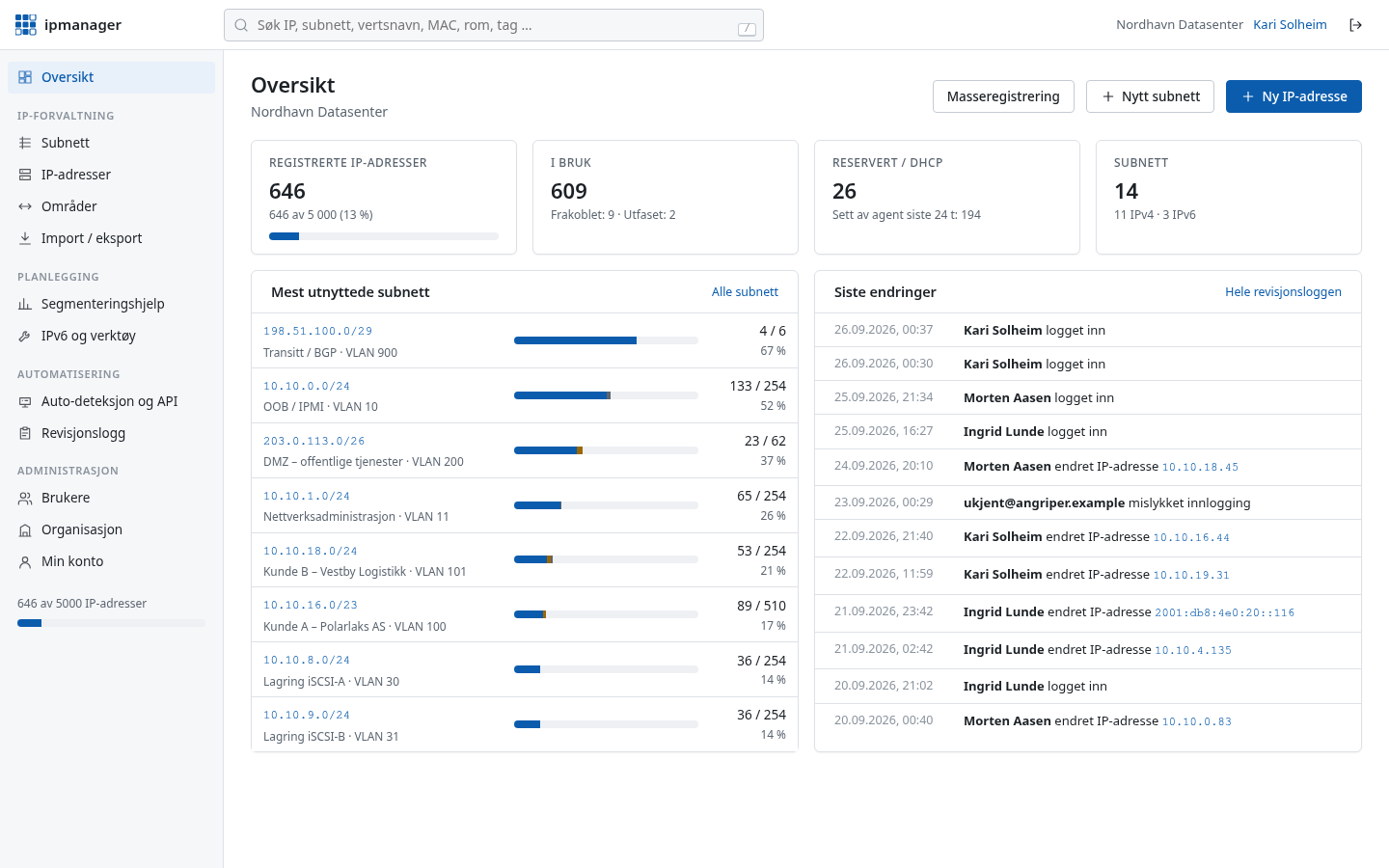
Search
Find any address in an instant
Type an IP, part of an IP, a subnet, a hostname or a room number – results appear as you type. Search for a full IP address and you see whether it is free, which subnet and range it belongs to, and which addresses sit around it.
- Matches IPs, partial IPs (
10.20.3), CIDR (10.20.0.0/16), hostnames, MACs, devices, rooms, departments, tags and custom fields - Filters right in the search box:
status:free,tag:printer,room:"2.14",vlan:20 - Press
/anywhere to search, use the arrow keys and Enter to open - Built on PostgreSQL with dedicated indexes for addresses and networks – fast with many thousands of addresses
Subnets and lists
Clear lists for every subnet
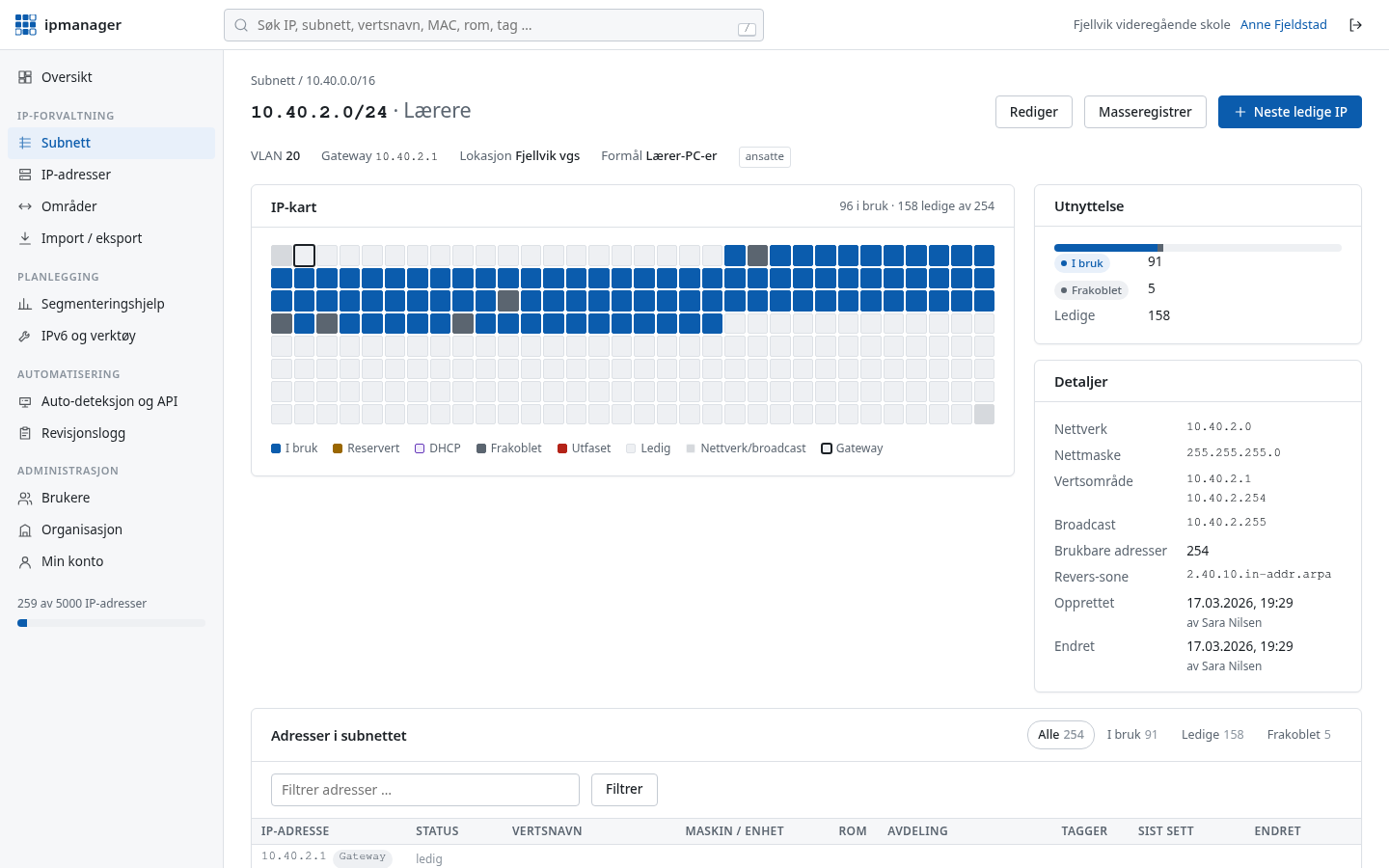
Each subnet lists every address in the network – including free ones – with status, hostname, device and room. An address map shows utilisation at a glance, and “next free IP” picks an address for you.
- IPv4 and IPv6 subnets with name, VLAN, site, gateway, DNS, purpose and tags
- Nested subnets shown as a hierarchy, with utilisation per network
- Ranges for DHCP pools and reserved blocks
- Statuses: in use, free, reserved, DHCP, offline and deprecated
Easy data entry
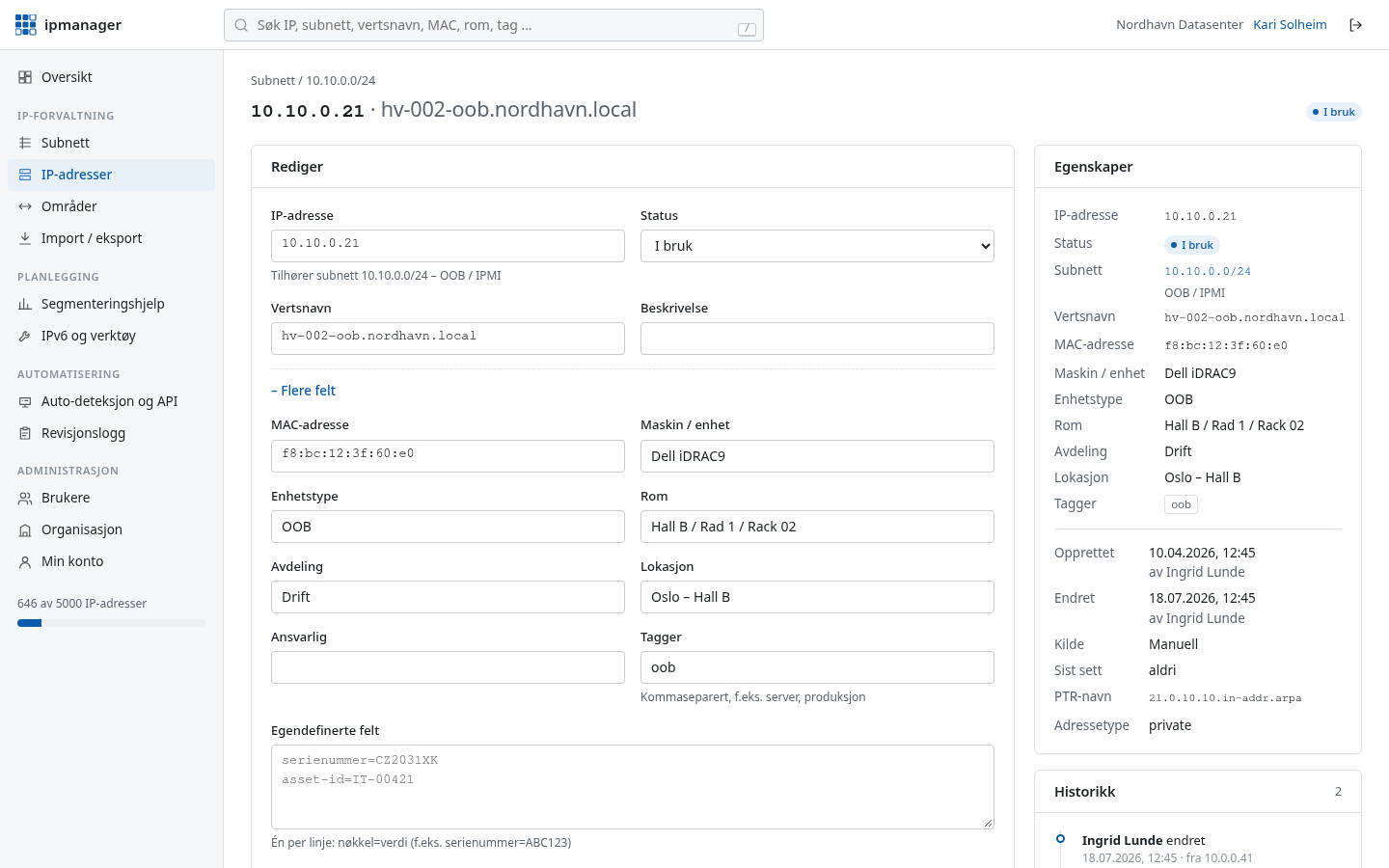
Simple when it can be – detailed when it needs to be
The default form only asks for the essentials: IP, hostname, status and a description. Need more? Open “More fields” for MAC, device, device type, room, department, site, owner, tags and custom fields.
- Add one address, a range (
10.0.0.10-20) or a whole network (10.0.0.0/28) in one go - Paste a list of
IP,hostnamestraight from a spreadsheet - Import from Excel (.xlsx) or CSV with automatic column detection and a preview before anything is saved
- Export to Excel with separate sheets for addresses, subnets and ranges – or to CSV and JSON
Auto-discovery
Let the network report itself
A small agent script on your machines, or a collector on one machine inside your own network, reports IP addresses, hostnames and MAC addresses to ipmanager. Outbound HTTPS only – nothing needs to be opened in your firewall.
- Agent for Linux and macOS (shell) and Windows (PowerShell), run by cron, systemd or Task Scheduler
- Dependency-free Python 3 collector: ping sweep of subnets, ARP table, reverse DNS and DHCP leases
- “Last seen” is updated on every report, and changes go to the audit log
- Separate API keys per agent, with limited scope and revocable at any time
$ curl -fsSO https://ipmanager.no/api/v1/agent/scripts/ipm-collector.py
$ python3 ipm-collector.py --token ipm_•••••••• \
      --arp 10.20.0.0/24 10.20.3.0/24

scanning 2 networks (508 addresses) ...
10.20.0.11   srv-file01.skole.local   00:1a:4b:10:22:31
10.20.3.14   pr-b214.skole.local      3c:2a:f4:8e:01:9c
10.20.3.52   -                        a4:83:e7:11:5d:02
reported 61 hosts: created 3, updated 2, unchanged 56
Conflicts
ipmanager compares what agents and the collector see with what is registered. Duplicate IPs, mismatched or moved MACs, hosts on addresses that should be free and static addresses inside DHCP ranges become conflicts – with severity, one-click fixes and email to administrators.
DNS check
Does the PTR record point to the registered name, and does the name point back to the IP? Public addresses are checked daily from ipmanager.no, internal names by the collector inside your own network. Addresses without a hostname get suggestions from PTR.
Segmentation help
Help splitting up your network – even if you don't do it every day
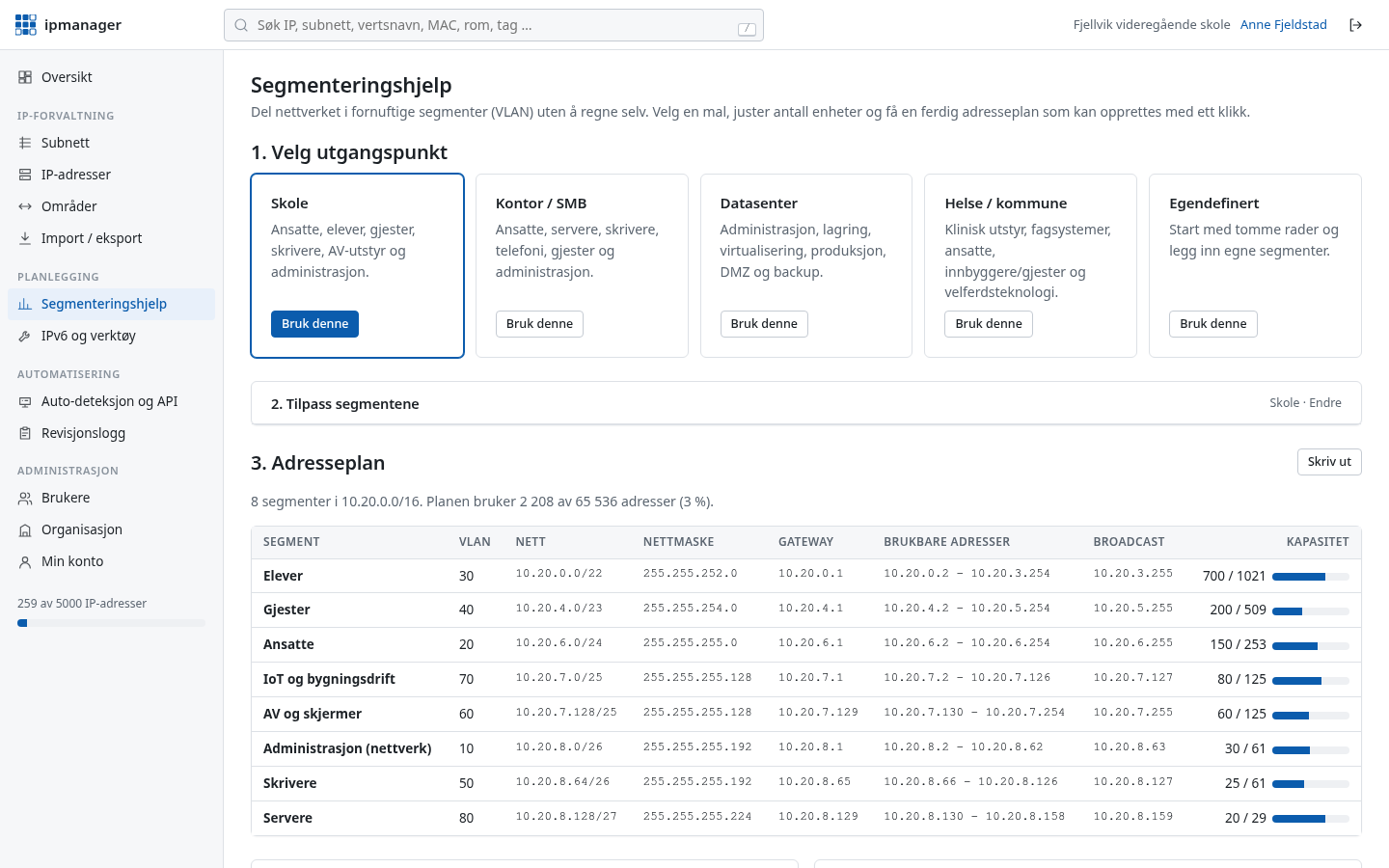
Pick a template for a school, office, data centre or healthcare and public sector, enter how many devices each segment needs, and get a complete address plan with subnets, masks, gateways and suggested VLANs. Every choice is explained in plain language.
- VLSM plan where every subnet is correctly aligned and has room to grow
- Warning if the plan overlaps networks you have already registered
- Create all the subnets with one click
- IPv6 plan with one /64 per segment, using the VLAN number in the address
IPv6
IPv6 without the headache
IPv6 addresses are long and easy to mistype. ipmanager shows them in compressed and full form, builds address plans from a /48 or /56, and has tools for the things you would otherwise look up every time.
- Subnet calculator for IPv4 and IPv6
- EUI-64 address from a MAC address (SLAAC)
- Reverse DNS names (
ip6.arpa) per address and zone - ULA prefix generator (
fd00::/8) following RFC 4193
Users and security
The whole team, with the right access
Whoever registers the organisation becomes its administrator and adds colleagues themselves. Every user gets a role, and two-factor authentication is built in.
- Roles: owner, administrator, editor and read-only
- Two-factor authentication (TOTP) with recovery codes
- Passwords hashed with scrypt, all traffic over HTTPS
- Every organisation is fully isolated from the others
Traceability
Everything is logged – who, when, from where and what
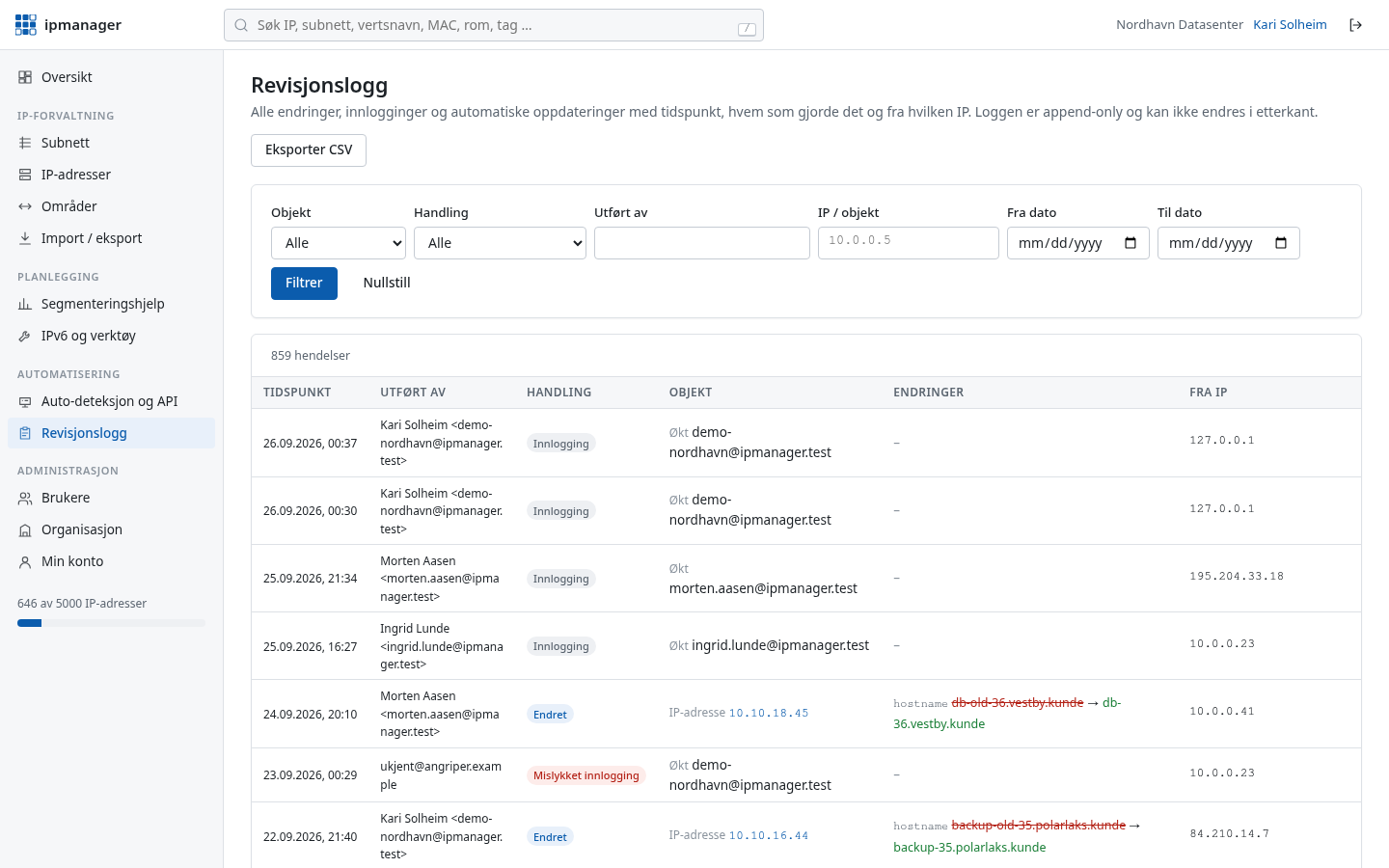
Every create, update and delete is written to an audit log that cannot be edited afterwards. You see the old and new value of every field, who made the change and from which IP address.
- Created and last updated, with time and person, on every address and subnet
- Full history per IP address
- Sign-ins and failed sign-ins are logged
- Filter and export the log to CSV
- Snapshots and restore: automatic every day and before every import – put the whole inventory back to an earlier point in time, with a preview
And the rest you would expect
Tags and custom fields
Tag addresses and add your own fields such as serial number, rack or contract number.
Ranges
DHCP pools and reserved blocks that do not count toward the address limit.
Import and export
Excel and CSV in with a preview; Excel, CSV and JSON out. Your data is always yours.
REST API
JSON API with keys for reading, writing or agent reports only.
History per address
See the full life of an IP: who had it and when it changed.
Five languages
The website and the whole IP inventory are available in Norwegian, Swedish, Danish, English and Spanish. Every user picks their own language.
Use cases
Built for networks with many addresses
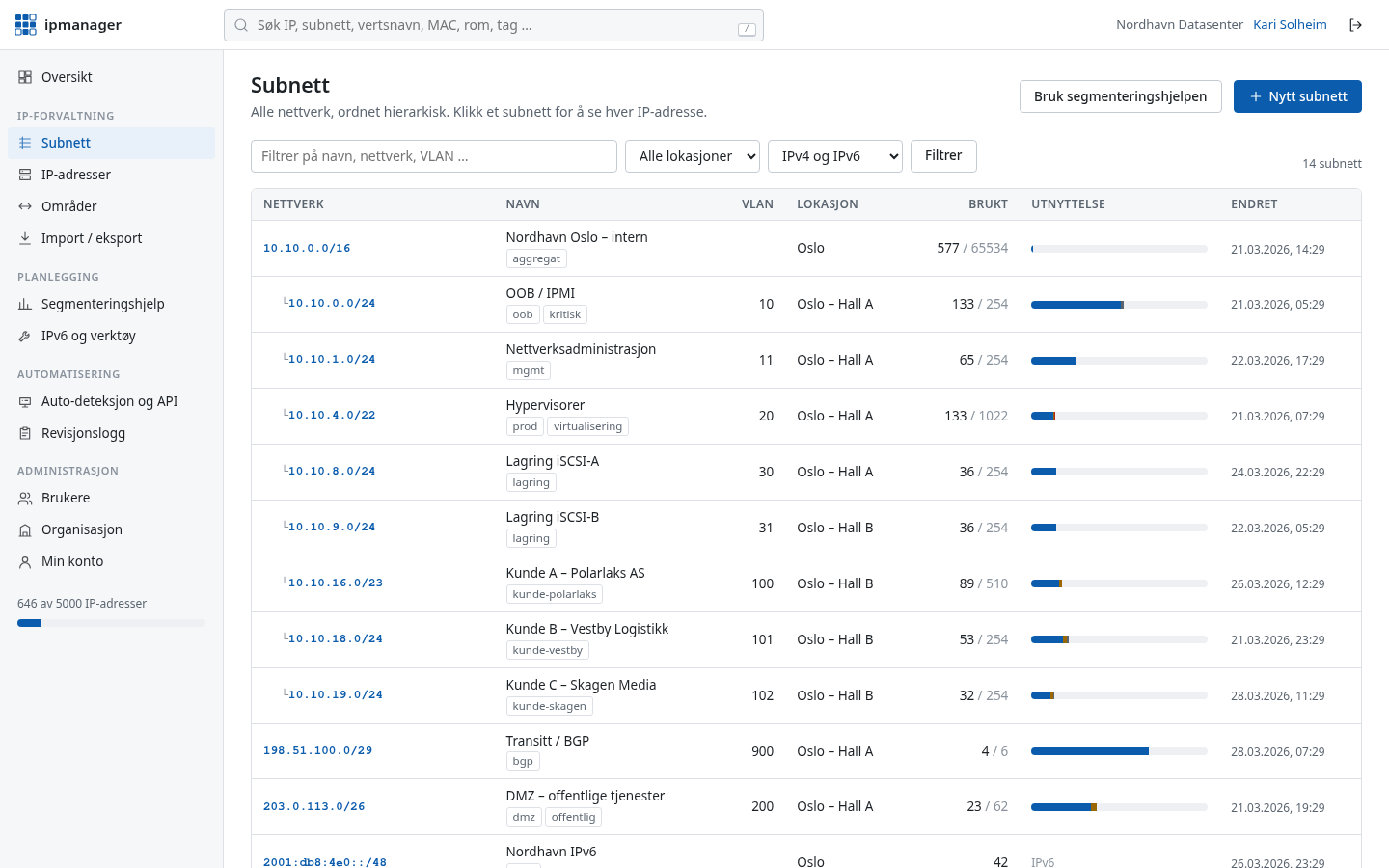
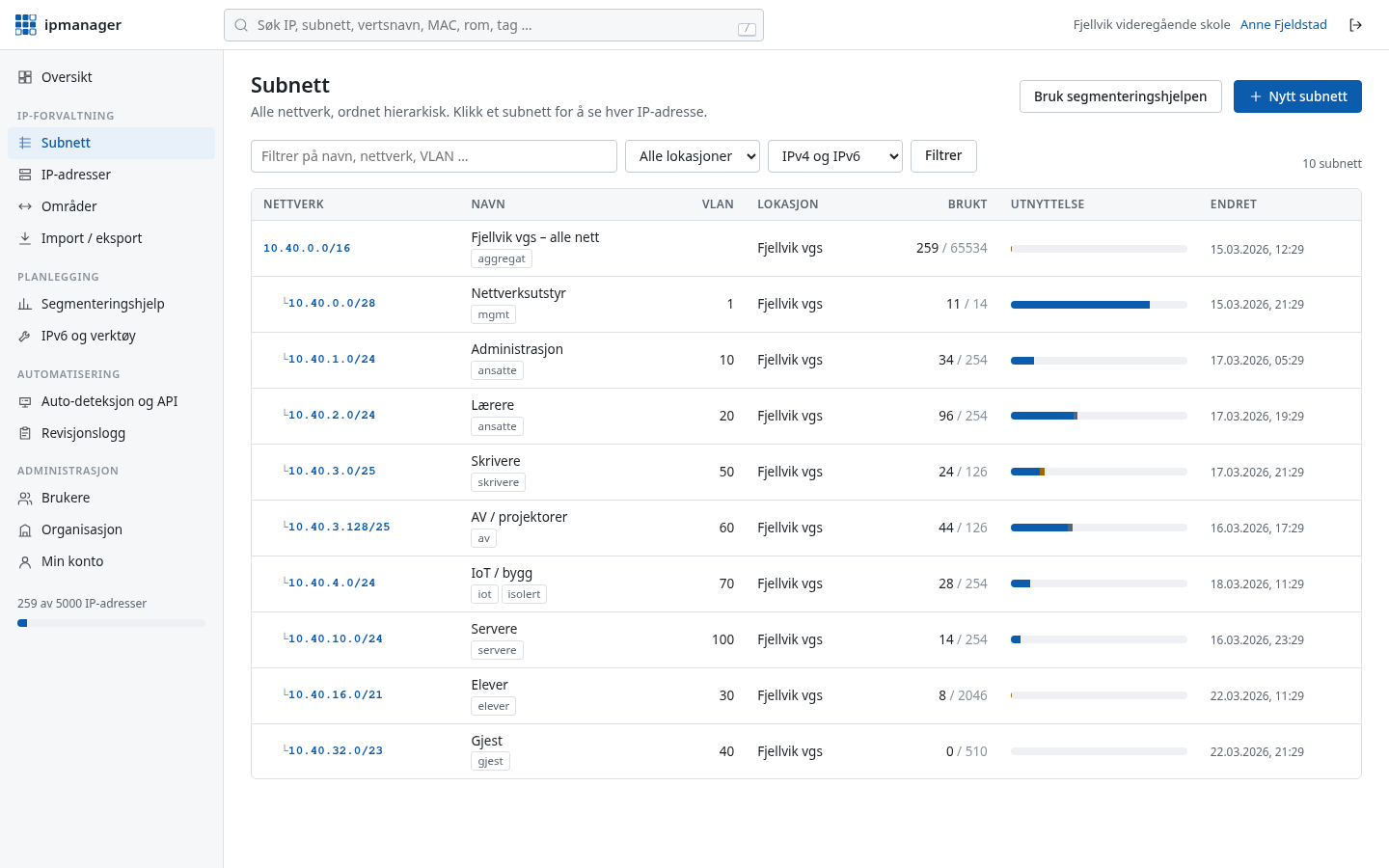
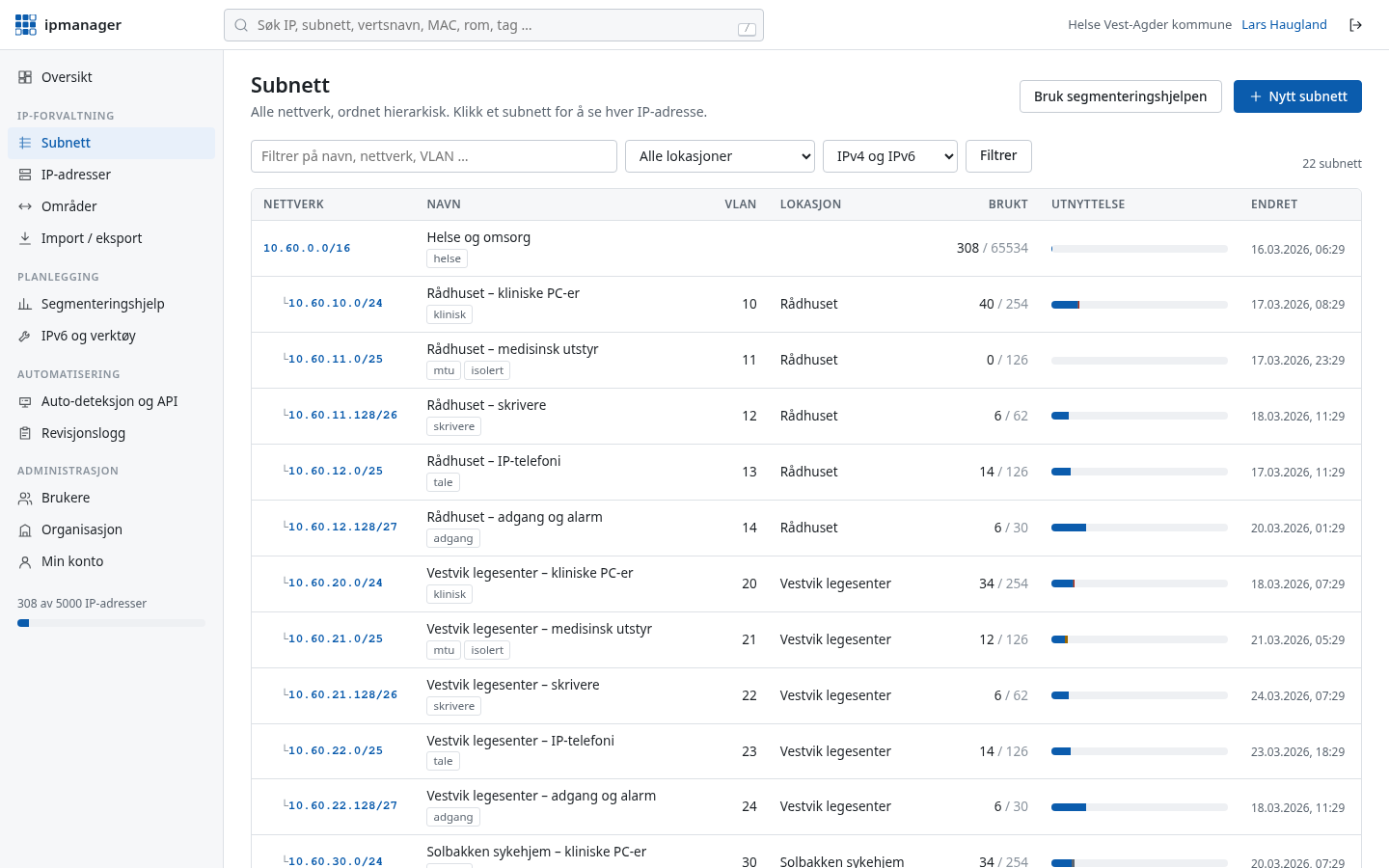
The same tool, fitted to the daily work of different organisations. The screenshots are from demo installations.
Data centres and hosting
Management networks, storage, customer VLANs and an IPv6 plan across many racks.
Schools and education
Students, staff, guests, printers and AV equipment in separate networks.
Healthcare and public sector
Medical devices, clinical systems and traceability that stands up to audits.
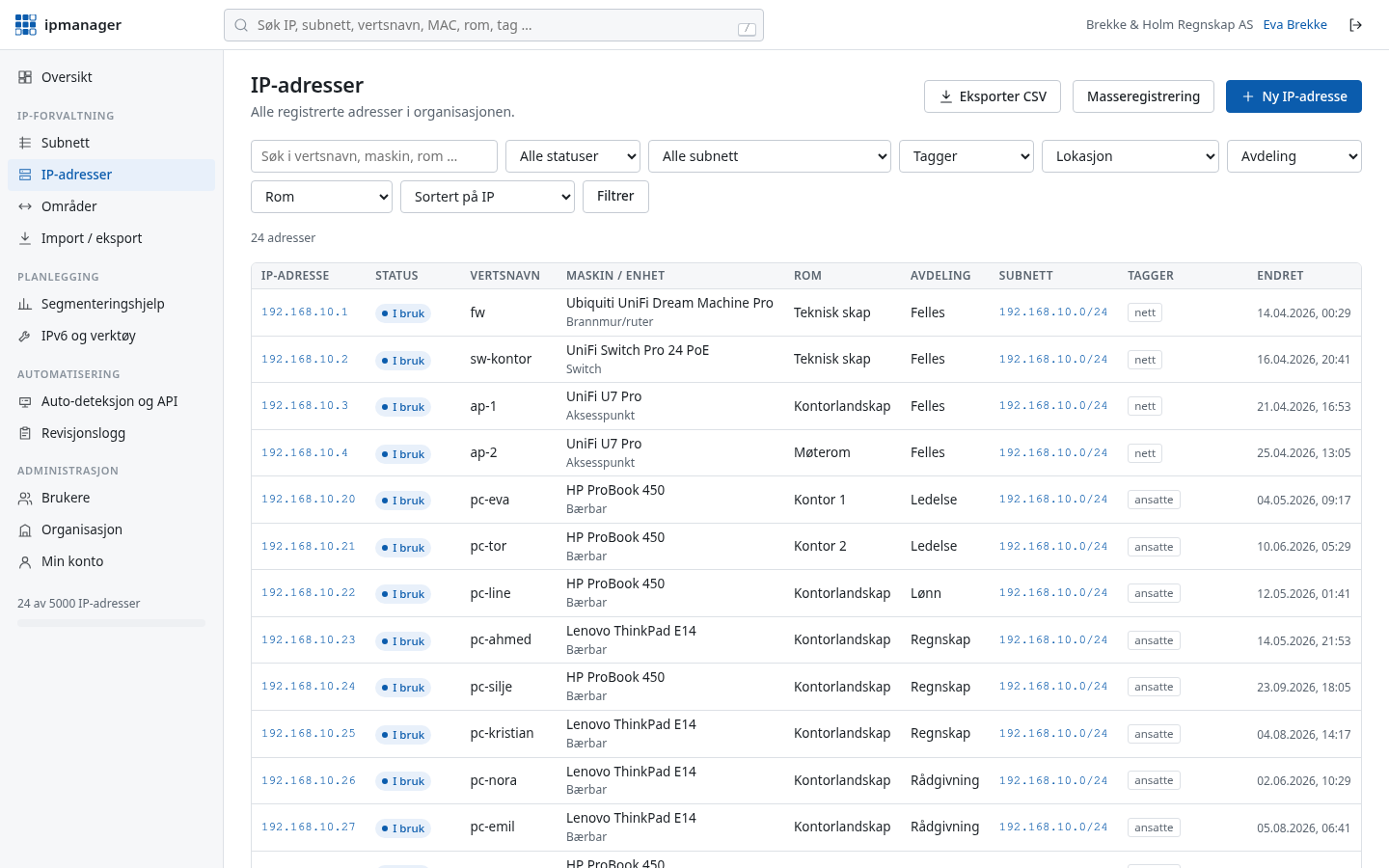
Businesses and offices
One or more offices, servers, telephony and guest Wi-Fi.
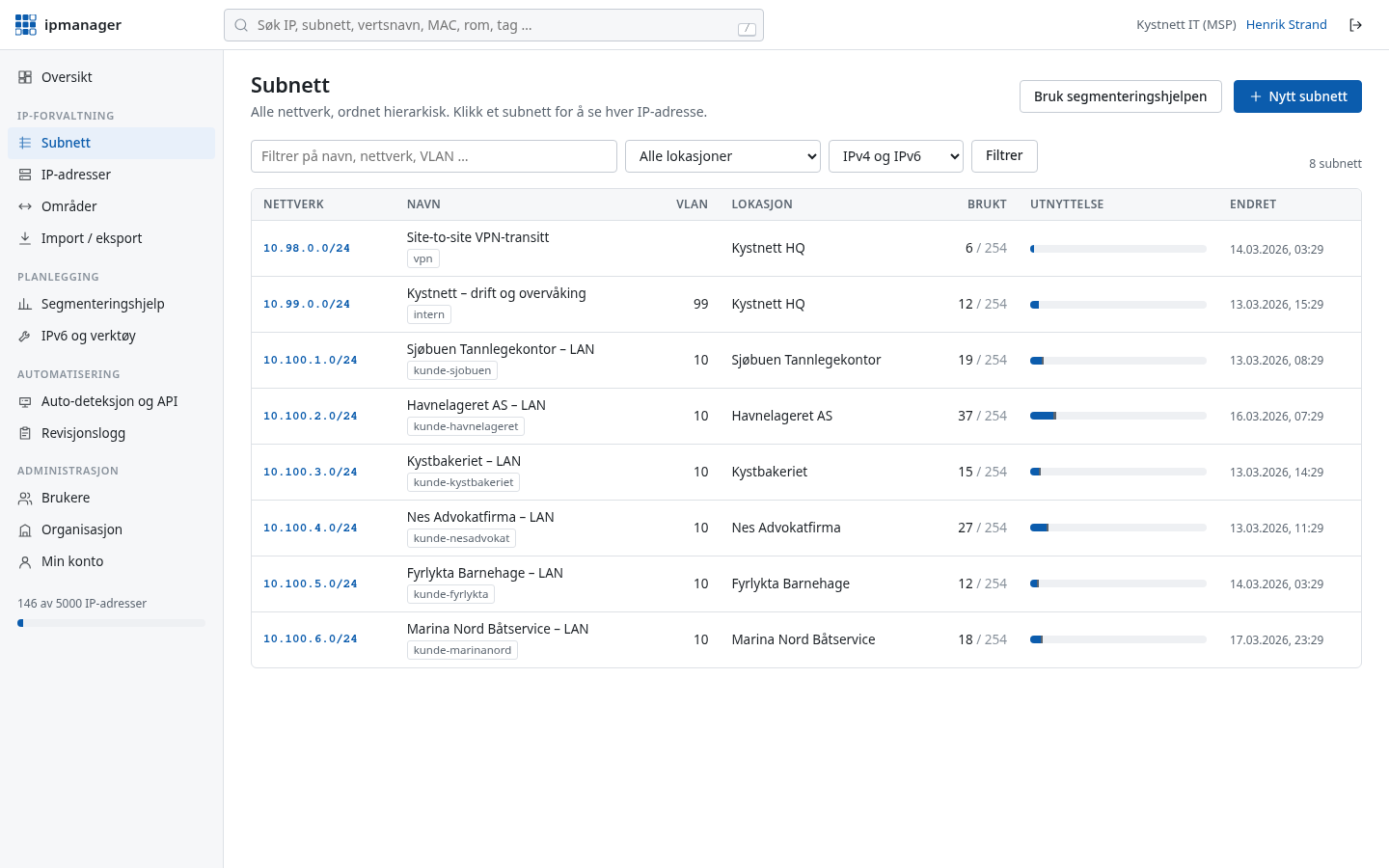
IT providers and MSPs
An overview of your customers' networks, with audit log and API.
Frequently asked questions
How much does ipmanager cost?
It is free for up to 100 IP addresses per organisation, with every feature included. The limit is set by us and may change. Paid plans for larger volumes will come later, and existing customers will be notified well in advance of any change.
What is IPAM?
IPAM stands for IP Address Management. It means keeping track of which addresses and networks exist, who uses them and what is free, so you avoid conflicts and find your way quickly when troubleshooting.
Why not just use a spreadsheet?
Spreadsheets go out of date quickly, have no history and cope badly with several people editing at once. ipmanager validates addresses, knows which subnet each address belongs to, shows free addresses, logs every change and can be kept up to date automatically by agents on your network.
How does auto-discovery work?
You create an API key and run a small script. The agent on a machine reports that machine's own addresses. The collector runs on one machine inside your network, checks the subnets you give it and reports what it finds. Both only send outbound HTTPS to ipmanager.
Do you support IPv6?
Yes. Subnets, addresses, search, import and the API work for both IPv4 and IPv6. You also get help with IPv6 address plans, EUI-64, reverse DNS and ULA prefixes.
How secure is it?
All traffic uses HTTPS, passwords are hashed with scrypt and two-factor authentication is built in. Each organisation is isolated from the others, and every change and sign-in is recorded in an audit log that cannot be edited. Data is stored in Norway.
Can we get our data out?
Yes, at any time. Addresses, subnets and ranges can be exported to Excel, CSV and JSON from the interface, and everything is available through the REST API.
Can we import from Excel?
Yes. Upload your spreadsheet as .xlsx. Columns such as IP, hostname, MAC, status, room and department are detected automatically – with Norwegian, English or Spanish headers – and you see a preview before anything is saved. You can also download a ready-made Excel template.
How do you find IP conflicts and wrong DNS?
The agents and collector report which MAC addresses answer on which IPs. ipmanager compares that with what is registered and raises conflicts for, among other things, duplicate IPs, mismatched or moved MACs and hosts on addresses registered as free. The DNS check verifies that the PTR record points to the registered name and that the name points back to the IP – public addresses from ipmanager.no, internal names with the collector inside your own network. Administrators get an email about new critical and warning conflicts.
Can we undo a mistake?
Yes. ipmanager takes snapshots of the whole IP inventory automatically every day something has changed, and before every import. An administrator can put the inventory back to a snapshot after seeing what will be added, removed and changed. A new snapshot is taken first, so the restore can itself be undone, and everything is recorded in the audit log.
How many users can we have?
As many as you need. Whoever registers the organisation becomes administrator and adds colleagues with the roles owner, administrator, editor or read-only.
Do we need to install anything?
No. ipmanager runs in the browser. The auto-discovery agents are optional, and are small scripts you can read through before running them.
Get your IP addresses under control today
Free for up to 100 IP addresses. Sign-in details by email immediately, no credit card.