IP address management for data centres and hosting
Hundreds of servers, several networks per rack and customers who come and go. ipmanager gives the operations team one place to look up, assign and document addresses – with an API for automation.
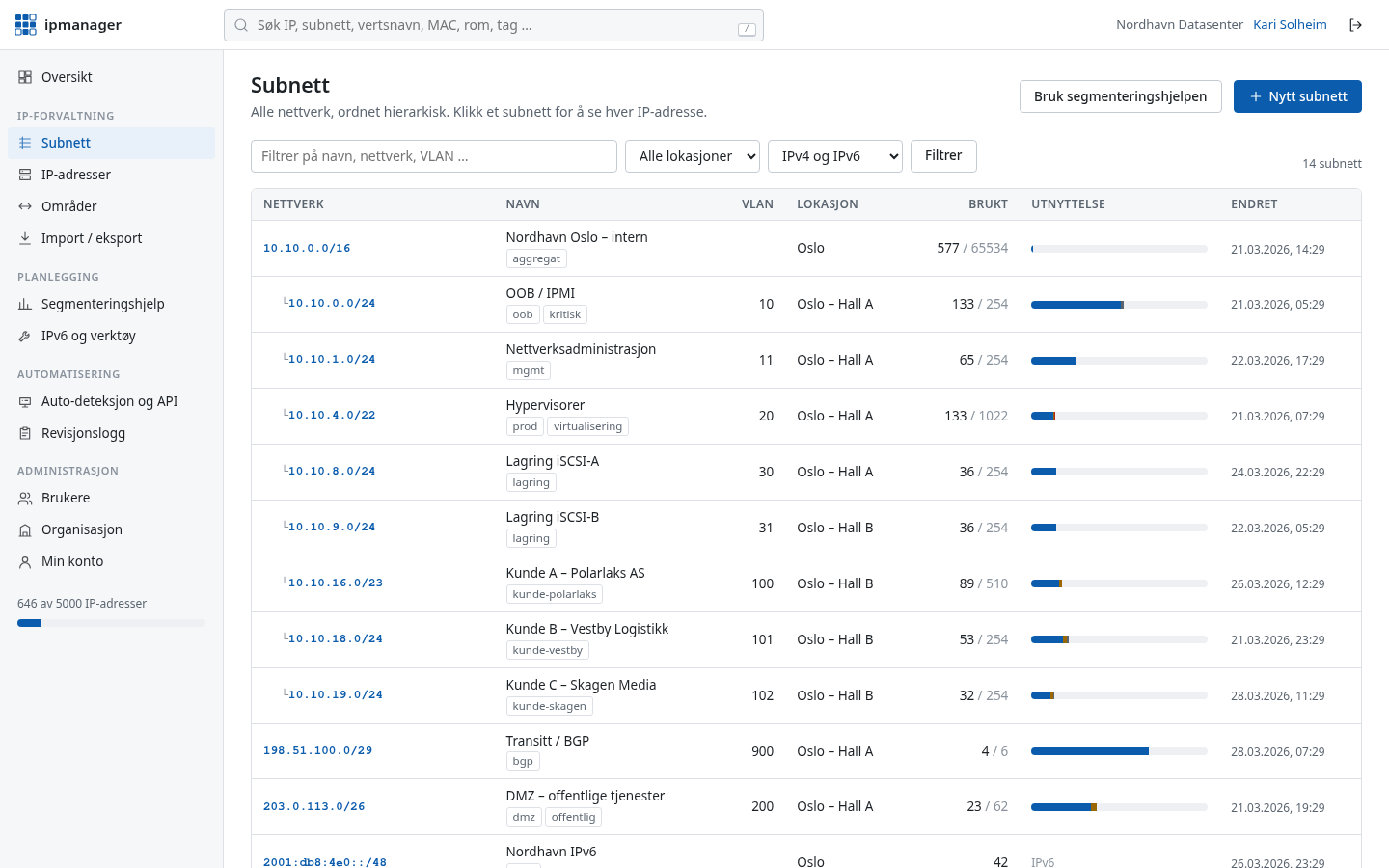
A typical day
A new customer needs two virtual servers and their own VLAN. At the same time a storage node is being replaced, and a technician in the server room asks which address the management port on the new server should get.
Without a shared overview, the answer comes from an out-of-date spreadsheet or a ping to see whether the address “looks free”. With ipmanager, the technician searches for the room or rack, sees free addresses in the management network and registers the new port with serial number and rack in custom fields.
Typical layout
A common layout for a single data centre. Private addresses (RFC 1918) internally, public addresses in a separate DMZ, and IPv6 with one /64 per VLAN.
| Segment | VLAN | IPv4 | Notes |
|---|---|---|---|
| Management / OOB (iDRAC, iLO, IPMI) | 10 | 10.0.0.0/22 | Separate from production, reachable only from a jump host |
| Hypervisors | 20 | 10.0.8.0/23 | One address per host |
| Storage (iSCSI/NFS) | 30 | 10.0.16.0/24 | Not routed, jumbo frames |
| Live migration | 31 | 10.0.17.0/24 | Not routed |
| Customer VLANs | 1000–1999 | 10.64.0.0/12 | A /24 per customer, customer name as tag |
| DMZ / public | 200 | 203.0.113.0/24 | Public addresses (documentation range) |
| Transfer networks | – | 10.255.0.0/24 | /31 per point-to-point link |
| IPv6 | per VLAN | 2001:db8:100::/48 | One /64 per VLAN, VLAN number in the address |
How ipmanager helps
Next free IP via the API
Provisioning scripts fetch the next free address from /api/v1/subnets/{id}/next-free and register it with a hostname – no double assignments.
Hierarchy and utilisation
Customer VLANs sit as /24 networks under a /12, with utilisation per network, so you quickly see where there is room.
Custom fields for rack and serial
Put rack, unit, serial number or customer number on the address, and search on them.
Collector and conflicts
The collector sweeps the management network and updates “last seen”. Duplicate IPs, mismatched MACs and hosts on addresses that should be free become conflicts, and the DNS check shows PTR records that do not match the hostname.
IPv6 plan
The planner creates one /64 per VLAN from the data centre's /48, with the VLAN number visible in the address.
Audit log
Who assigned or released an address – and when – is documented for customer off-boarding and incidents.
Read also: REST API · IPv6 in practice · IPv6 subnet calculator
Get your IP addresses under control today
Free for up to 100 IP addresses. Sign-in details by email immediately, no credit card.